
How to enable Secure Boot to play Battlefield 6 on Windows 11 (or 10)
Fix the "SecureBoot is not enabled" error message when trying to play Battlefield 6 on Windows 11 or 10.
Fix the "SecureBoot is not enabled" error message when trying to play Battlefield 6 on Windows 11 or 10.

Tired of the ChatGPT default look? Here’s how to change its accent color to blue, green, yellow, pink, or orange for a more personal touch.

Install GPT-OSS AI model locally on Windows 11 using Ollama CLI or GUI without a paid subscription or limits, but don't expect to be ...

Free up memory in ChatGPT by deleting stored information and making space for new personalized data.

Ditch Remote Desktop and TeamViewer by setting up secure remote desktop access with RustDesk self-hosting or public servers.

You're sharing your data with ChatGPT by default, here's how to stop it.

Do you have a mess of firewall rules? Here's how to reset the security feature to its default settings on Windows 11.

If you must open the port through the Microsoft Defender Firewall, in this guide, I'll explain how to complete this configuration on ...
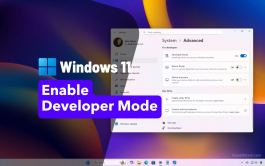
Windows 11's Developer Mode allows you to install apps outside of the Microsoft Store, and here's how.

Search engines may show your ChatGPT conversations in results. You can use these steps to check and delete previously shared links.