
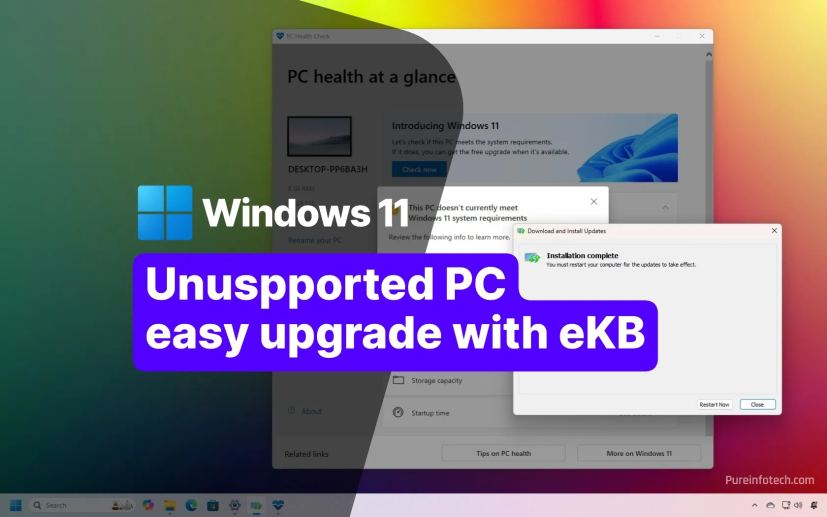
- Windows 11 24H2 upgrade to version 25H2 only requires installing the eKB.
- No reinstallation or third-party tools are required.
Yes, you can upgrade a computer with unsupported hardware already running version 24H2 to Windows 11 25H2 without reinstalling or using third-party tools, thanks to the enablement package (eKB).
Typically, installing a new version of Windows 11 on unsupported hardware requires a clean installation with custom bootable media to bypass requirements or third-party utilities to force an in-place upgrade.
This time, however, the upgrade is delivered through an enablement package that works like a regular cumulative update. You only need to download and manually install the package, and your unsupported device will be upgraded from version 24H2 to 25H2 without requiring reinstallation or external tools.


An “enablement package” (often abbreviated as eKB) for Windows 11 is a small, quick-to-install update that serves as a “master switch” to transition a computer from one version to the next, provided the two versions share a common core operating system, which is the case with versions 25H2 and 24H2.
In this guide, I’ll outline the steps to upgrade from Windows 11 24H2 to 25H2 without reinstallation or third-party tools.
- Windows 11 25H2 unsupported hardware upgrade process
- Pureinfotech’s Take
- FAQs about Windows 11 24H2 to 25H2 enablement package upgrade
Windows 11 25H2 unsupported hardware upgrade process
To upgrade from version 24H2 to 25H2 without reinstallation or extra tools, follow these steps:
-
Open Settings on Windows 11.
-
Click on Windows Update.
-
Click the Check for updates button.

-
Click the Restart now button to apply the most recent updates.
-
Click to download the eKB (KB5054156) for Intel and AMD (or this link for ARM64).
-
Save the enablement package on your computer from the Microsoft delivery servers.
-
Double-click the “.msu” file to launch the KB5054156 installer.

-
Click the Yes button to apply the upgrade.

-
Click the Restart now button.
Once you complete the steps, the computer will upgrade automatically to Windows 11 25H2 (2025 Update).
This process only applies to devices running version 24H2. If you have a computer running version 23H2, an older release, or Windows 10, you cannot use the enablement package. In this case, you must proceed with an in-place upgrade or a clean installation process using custom USB bootable media or third-party tools.
Pureinfotech’s Take
The enablement package makes the Windows 11 24H2 to version 25H2 upgrade unusually simple, even for systems running on unsupported hardware. In practice, it turns what used to be a complex process involving clean installs or bypass tools into a standard update experience.
That said, convenience should not be confused with broader eligibility for support. The eKB does not change the fact that unsupported hardware remains outside Microsoft’s official support boundaries. It only works because 24H2 and 25H2 share the same underlying platform, which allows the upgrade to behave like a lightweight activation switch rather than a full operating system replacement.
For users already on 24H2, this is the cleanest path forward. However, anyone on older releases or Windows 10 still faces a traditional upgrade path with more steps and stricter requirements.
FAQs about Windows 11 24H2 to 25H2 enablement package upgrade
Here’s a list of frequently asked questions (FAQs) and answers about upgrading an unsupported device running Windows 11 24H2 to version 25H2 using the enablement package.
What is an enablement package (eKB) in Windows 11?
An enablement package (eKB) on Windows 11 is a small update that acts as a feature switch to activate new OS features already included in the same core build. It allows a fast upgrade between versions, such as 24H2 and 25H2, without reinstalling Windows or downloading a full feature update package.
How do you upgrade Windows 11 24H2 to 25H2 without reinstalling?
You can upgrade Windows 11 24H2 to 25H2 without reinstalling by downloading and installing the enablement package (eKB) through Windows Update or manually using the MSU file. After installation, restart your computer, and the system will switch to version 25H2 like a cumulative update. No third-party tools are required.
Can you upgrade unsupported hardware from Windows 11 24H2 to 25H2 using eKB?
Yes, you can upgrade unsupported hardware to Windows 11 25H2 using the eKB, but only if the device is already running version 24H2. The enablement package bypasses the need for a clean installation or additional tools, but it does not extend support to older versions such as 23H2 or Windows 10.
What is the difference between an eKB upgrade and a clean installation of Windows 11?
An eKB upgrade is a lightweight update that activates a new Windows 11 version without reinstalling the OS, keeping apps, files, and settings intact. A clean installation, by contrast, erases the system and installs Windows from scratch, often required for unsupported hardware or major version changes.
Why can’t you upgrade to Windows 11 25H2 using eKB from Windows 10 or 23H2?
Users cannot upgrade to Windows 11 25H2 using the eKB from Windows 10 or 23H2 because the enablement package only works when both versions share the same core build, such as 24H2 and 25H2. Older versions require a full feature update, in-place upgrade, or clean installation instead.
Do you need third-party tools to install Windows 11 25H2 on unsupported PCs?
No, you do not need third-party tools to install Windows 11 25H2 on unsupported PCs if the device is already running 24H2. The enablement package handles the upgrade directly. However, earlier versions of Windows 10 may still require installation media or alternative upgrade methods depending on the scenario.

Mauro Huculak is a Windows How-To Expert and founder of Pureinfotech in 2010. With over 23 years as a technology writer and IT Specialist, Mauro specializes in Windows, software, and cross-platform systems such as Linux, Android, and macOS.
Certifications: Microsoft Certified Solutions Associate (MCSA), Cisco Certified Network Professional (CCNP), VMware Certified Professional (VCP), and CompTIA A+ and Network+.
Mauro is a recognized Microsoft MVP and has also been a long-time contributor to Windows Central.
You can follow him on YouTube, Threads, BlueSky, X (Twitter), LinkedIn and About.me. Email him at [email protected].